
Mistakes to Avoid When Building Your First Business Website | Complete Beginner’s Guide
Mistakes to Avoid When Building Your First Business Website
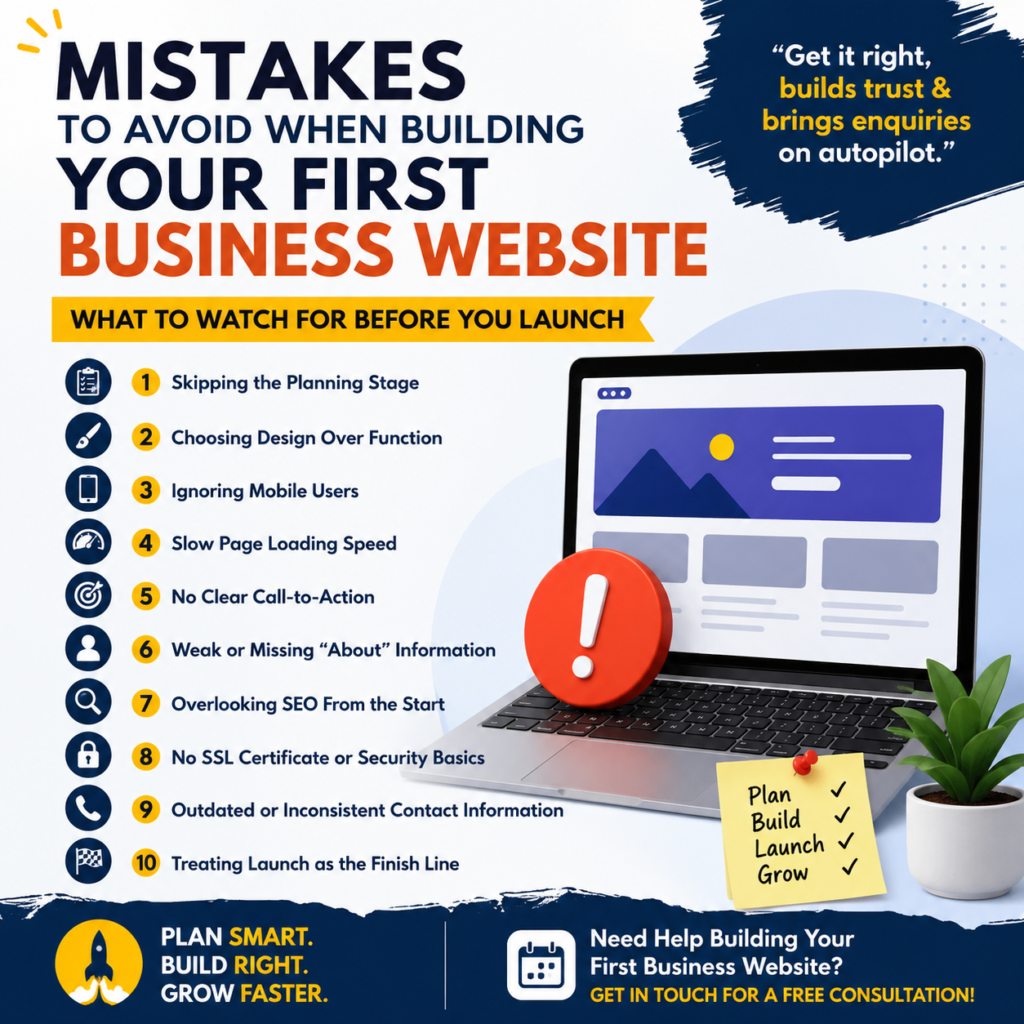
Building your first business website is exciting — but a few common mistakes can quietly cost you customers, rankings, and money. Here’s what to watch for before you launch.
Your website is often the first real interaction a potential customer has with your business. Get it right, and it builds trust and brings in enquiries on autopilot. Get it wrong, and even a well-run business can look unprofessional — or worse, invisible on Google. Here are the mistakes we see first-time website owners make most often, and how to avoid each one.
1. Skipping the Planning Stage
Jumping straight into design without a plan is the single biggest reason websites end up messy or unfinished. Before any design work starts, you should know: who your website is for, what action you want visitors to take (call, enquire, buy), and which pages you actually need.
Fix: Write down your goals and a simple sitemap (Home, About, Services, Contact, etc.) before contacting a developer or picking a template.
2. Choosing Design Over Function
A flashy, animation-heavy homepage can look impressive — but if visitors can’t quickly find what they came for, they’ll leave. Style should support your goals, not distract from them.
Fix: Prioritize clear navigation, readable text, and obvious calls-to-action (“Call Now,” “Get a Quote”) over decorative effects.
3. Ignoring Mobile Users
More than half of web traffic today comes from phones. A site that only looks good on a desktop screen will frustrate — and lose — the majority of your visitors.
Fix: Insist on a mobile-responsive design and actually test the site on your own phone before launch, not just in a browser preview.
4. Slow Page Loading Speed
Visitors decide whether to stay or leave within a few seconds. Large, uncompressed images and bloated plugins are the most common causes of slow load times.
Fix: Compress images before uploading, avoid unnecessary plugins, and test your site speed with a free tool like Google PageSpeed Insights before and after launch.
5. No Clear Call-to-Action
A surprising number of first-time business websites describe the business beautifully — and never actually tell the visitor what to do next. No “Call Now” button, no contact form, no clear next step.
Fix: Every page should have one obvious action for the visitor to take — a phone number, a contact form, or a “Get a Quote” button placed where it’s easy to find.
6. Weak or Missing “About” Information
Visitors want to know who they’re dealing with. A vague or missing About page — no real information about the business, its experience, or its team — quietly erodes trust.
Fix: Include real details: how long you’ve been in business, what makes you different, and if possible, a photo of your team or workspace.
7. Overlooking SEO From the Start
Many first-time website owners treat SEO as something to “do later.” But titles, meta descriptions, and page structure are much harder to fix properly after launch than to set up correctly from day one.
Fix: Make sure every page has a unique title and meta description, proper heading structure (one H1 per page), and content that naturally includes the terms customers would search for.
8. No SSL Certificate or Security Basics
Launching a website without HTTPS (SSL) triggers “Not Secure” warnings in browsers — an instant trust-killer, and something Google also factors into rankings.
Fix: Confirm your hosting includes a free SSL certificate, and don’t launch without it. Basic security like firewall protection and backups should be non-negotiable, not an afterthought.
9. Outdated or Inconsistent Contact Information
Nothing frustrates a potential customer more than a phone number that doesn’t work or an email that bounces. It also confuses search engines about who you actually are.
Fix: Keep your business name, address, and phone number identical across your website, Google Business Profile, and any directories you’re listed in.
10. Treating Launch as the Finish Line
A website isn’t a one-time project — it’s ongoing. Businesses that never update their site, renew their domain on time, or refresh content often find their site slowly becomes irrelevant, or worse, goes offline unexpectedly.
Fix: Set a reminder for domain/hosting renewals, plan to update content regularly, and budget for basic maintenance and support after launch.
Quick Checklist Before You Launch
- Sitemap and goals defined before design started
- Mobile-responsive and tested on a real phone
- Page speed checked with PageSpeed Insights
- Clear call-to-action on every page
- Real, honest About page
- Unique title & meta description per page
- SSL certificate active (HTTPS)
- Consistent business name, address, phone everywhere
- Domain and hosting renewal dates noted
- A maintenance plan in place for after launch
Frequently Asked Questions
Q: What’s the most common mistake first-time website owners make?
A: Skipping the planning stage and jumping straight into design is the most common mistake — it usually leads to unclear navigation, missing pages, and a site that doesn’t guide visitors toward any action.
Q: Do I really need an SSL certificate for a small business website?
A: Yes — without SSL, browsers show a “Not Secure” warning to every visitor, which damages trust instantly and can also hurt your Google ranking.
Q: How important is mobile-friendliness for a new website?
A: Very important — more than half of website visitors today browse from mobile devices, so a site that isn’t mobile-responsive loses a majority of potential customers immediately.
Q: Should I worry about SEO when I’m still building my first website?
A: Yes — setting up titles, meta descriptions, and page structure correctly from the start is much easier than fixing them after launch, and it directly affects whether customers find you on Google.
Q: Is a website ever really “finished”?
A: No — a website needs ongoing updates, renewals, and maintenance to stay secure, relevant, and effective, so it’s best to plan for support after launch rather than treating it as a one-time project.
Conclusion
Planning your first business website and want to avoid these mistakes altogether? Get in touch for a free consultation.
Contact Us
Address: 621, Mukesh Plaza, Near S.S. Dairy, Dadabari, Kota (Raj.)
Call/Whatsapp: 9828036274
Email: Online@kotapride.com
Website: www.websoftcreation.in | www.magicalwebsite.in
Top It Company In Rajasthan | Websoft Creation Kota: https://g.co/kgs/X33AyTE
Follow Kotapride on Social Media:
https://www.facebook.com/kota.pride.3
https://www.facebook.com/digitalmarketingexpertsinkota
https://www.facebook.com/Letsfollowcybersafetytips
https://www.instagram.com/kotapride
https://www.linkedin.com/in/digital-marketing-in-kota-rajasthan-4a8a4616a
